Technical support
IT Architecture
Over three years as a technical support associate, I've developed broad IT infrastructure expertise supporting 700+ users across distributed environments. I administer Active Directory domains including user/group management, Group Policy configuration for policy enforcement, and hybrid Azure AD synchronization. My technical capabilities span hardware/software troubleshooting, virtualization platform support (VMware/Hyper-V), multi-factor authentication, and cloud platform administration for Microsoft 365 and Google Workspace. I utilize ServiceNow and Jira for incident management with documented resolution procedures. Through Workspace ONE, I manage device enrollment, application deployment, and compliance enforcement. This experience demonstrates not only technical problem solving but also strategic thinking. I balance user enablement with security requirements to maintain organizational resilience, while also promoting a frictionless user experience.

Secure Configuration Management
I practice cybersecurity as an operational discipline integrated into daily technical support activities, not as a separate team responsibility. Every endpoint I configure, user account I provision, and software package I deploy adheres to secure configuration standards aligned with PCI DSS requirements. When troubleshooting systems I don't just restore functionality, I verify security controls remain intact, validate that unauthorized changes haven't introduced vulnerabilities, and ensure configurations comply with organizational baselines. I enforce principle of least privilege by limiting local administrator access, restricting software installation rights, and implementing application whitelisting where appropriate. This embedded security mindset reduces organizational risk, prevents configuration drift that creates compliance gaps, and reinforces that every IT professional shares responsibility for protecting sensitive data.
Scripting
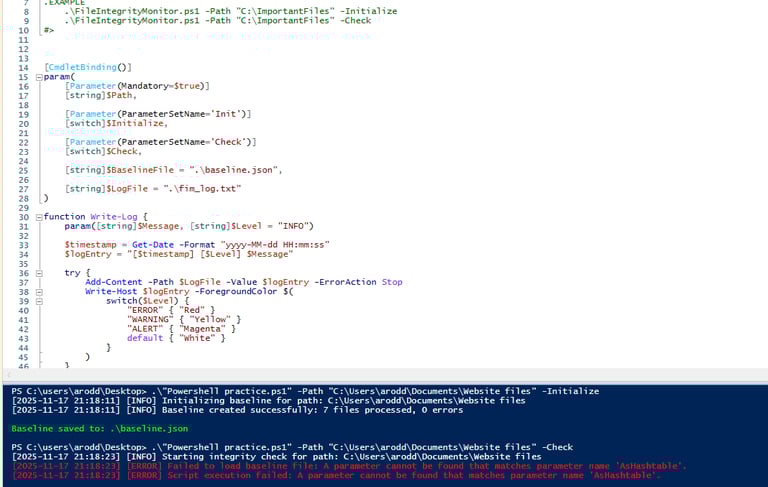
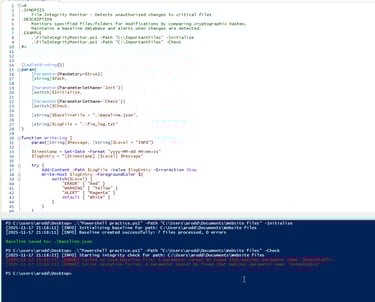
Experience using CMD and Powershell for Windows to configure and troubleshoot systems and applications. I often use powershell to easily query user and group details locally or in Active Directory which is crucial for diagnostics and automation. An example of a script, was one developed between myself and other techs to perform a posture check on our endpoint management software. The script would check for TCP connectivity to available servers and measure the latency, then set the server based on that information. The servers were set in the appropriate Windows registry values, and the script was added to Task Scheduler to periodically check connection status.
Contact Me
contact@alexanderrodriguez-portfolio.com
© 2025. All rights reserved.